






Licencia Microsoft 365: Guía Completa de Planes, Precios y Diferencias

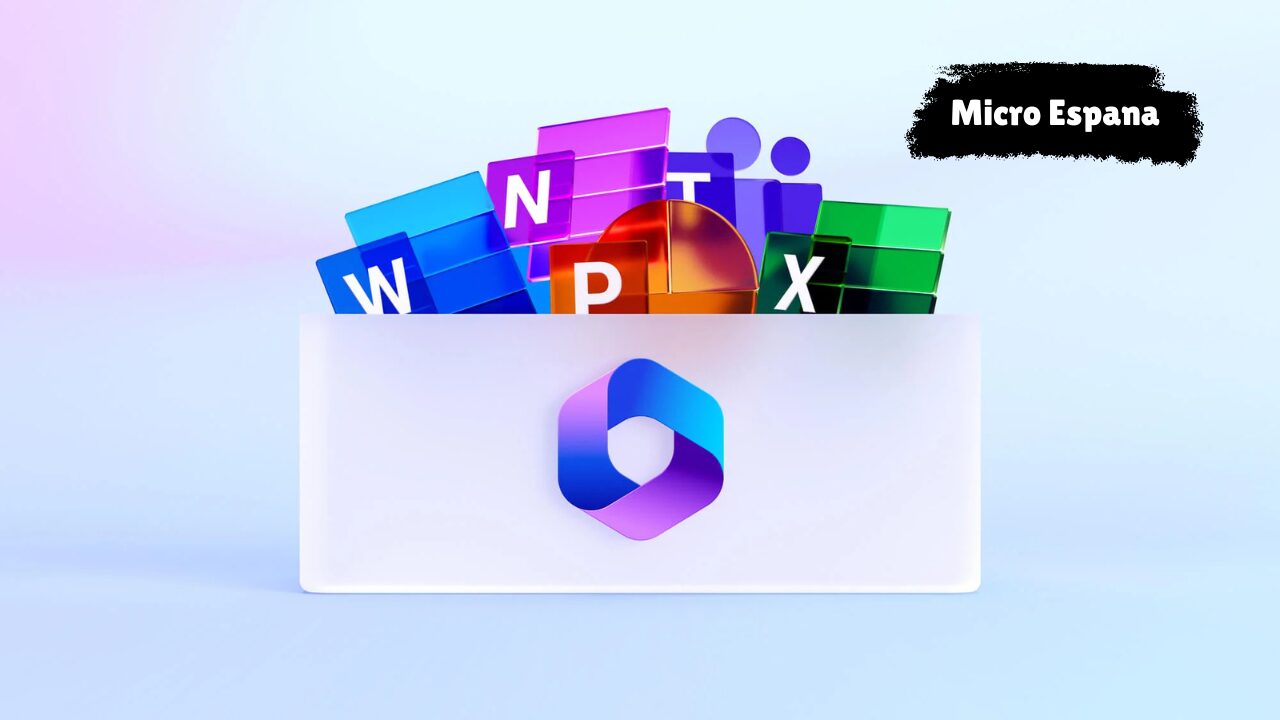
La licencia Microsoft 365 es el sistema mediante el cual Microsoft permite usar legalmente sus aplicaciones, servicios en la nube y herramientas de seguridad.
Elegir la licencia correcta influye directamente en el coste, la productividad, la seguridad y la capacidad de crecimiento de cualquier usuario o empresa. 25+ Características de Windows 11 Que Debes Conocer
Esta guía explica de forma clara qué es Microsoft 365, qué tipos de licencias existen, cuánto cuestan, en qué se diferencian los planes Business y Enterprise y cómo elegir la opción adecuada según cada caso.
¿Qué es la Licencia Microsoft 365?
Una licencia Microsoft 365 es una suscripción oficial que da acceso a aplicaciones como Word, Excel, PowerPoint, Outlook y Teams, junto con servicios en la nube como OneDrive, SharePoint y funciones avanzadas de seguridad y administración.
Definición de licencia Microsoft 365
Es un derecho de uso por suscripción que se asigna a un usuario, no a un dispositivo, e incluye software, almacenamiento, actualizaciones automáticas y seguridad mientras la licencia esté activa.
Diferencia entre Microsoft 365 y Office 365
Office 365 era el nombre anterior, centrado principalmente en las aplicaciones.
Microsoft 365 integra aplicaciones, identidad, seguridad, administración de dispositivos y servicios en la nube en una sola plataforma.
Qué incluye una licencia Microsoft 365
Aplicaciones de Office en versión web y/o escritorio
Correo electrónico profesional
Almacenamiento en la nube
Herramientas de colaboración
Seguridad y control de acceso
Administración centralizada
Licencia por usuario vs por dispositivo
Una sola licencia permite usar Microsoft 365 en varios dispositivos siempre que sea el mismo usuario.
Para quién está pensada
Autónomos
Pequeñas y medianas empresas
Grandes empresas
Equipos remotos o híbridos
Trabajadores operativos o de primera línea
¿Por Qué es Importante Elegir Bien la Licencia Microsoft 365?
La elección incorrecta de una licencia puede generar gastos innecesarios o dejar funciones críticas fuera.
Impacto directo en costes mensuales y anuales
Riesgo de pagar por funciones que no se usan
Nivel de seguridad insuficiente
Limitaciones en productividad
Problemas al crecer o escalar la empresa
Tipos de Licencias Microsoft 365
Licencias Business
Licencias Enterprise
Licencias Frontline
Licencias para educación
Licencias personales y familiares
Cada grupo está diseñado para un tipo de usuario y tamaño de organización diferente.
Licencias Microsoft 365 Business (Pymes y Equipos en Crecimiento)
Microsoft 365 Business Basic
Incluye aplicaciones web de Office
Teams, Exchange, OneDrive y SharePoint
1 TB de almacenamiento por usuario
Ideal para equipos que trabajan principalmente en línea
No incluye aplicaciones de escritorio
Funciones de seguridad básicas
Microsoft 365 Business Standard
Incluye aplicaciones de escritorio instalables
Permite trabajar sin conexión
Uso común en oficinas tradicionales y equipos híbridos
La principal diferencia frente a Basic es el acceso a las aplicaciones locales de Office.
Microsoft 365 Business Premium
Incluye todas las funciones de Standard
Seguridad avanzada con Microsoft Intune y Defender
Gestión y protección de dispositivos
Recomendado para empresas con datos sensibles o trabajo remoto frecuente.
Licencias Microsoft 365 Enterprise (Empresas Medianas y Grandes)
Microsoft 365 E1
Aplicaciones web
Correo corporativo y colaboración
Adecuado para grandes equipos con trabajo en navegador
Microsoft 365 E3
Aplicaciones de escritorio
Mayor seguridad y control
Funciones de cumplimiento normativo
Usado en sectores como finanzas, salud y legal.
Microsoft 365 E5
Seguridad avanzada
Protección contra amenazas complejas
Análisis y control de riesgos
Pensado para organizaciones con altos requisitos de seguridad.
Comparación: Microsoft 365 Business vs Enterprise
Business está limitado a 300 usuarios
Enterprise no tiene límite de usuarios
Enterprise ofrece mayor control, seguridad y cumplimiento
Business es más simple y económico para pymes
Seguridad Incluida Según la Licencia Microsoft 365
Microsoft Defender según el plan
Entra ID para control de identidad y acceso
Microsoft Intune para gestión de dispositivos
Protección contra phishing y ransomware
El nivel de seguridad varía significativamente según la licencia.
Microsoft Teams, Telefonía y Salas de Reunión
Teams está incluido en la mayoría de planes
Teams Phone se licencia por separado
Teams Rooms requiere licencias específicas
Un error frecuente es asumir que la telefonía está incluida en todos los planes.
Copilot para Microsoft 365: Requisitos de Licencia
Copilot es un asistente de inteligencia artificial integrado en las aplicaciones de Microsoft 365.
No funciona con planes gratuitos ni sin licencias compatibles.
Licencias compatibles incluyen Business Standard, Business Premium, E3 y E5.
Copilot se contrata como complemento adicional.
Almacenamiento y Límites en Microsoft 365
OneDrive ofrece 1 TB por usuario
SharePoint proporciona almacenamiento compartido para la organización
Una mala gestión del almacenamiento puede generar costes adicionales.
Errores Comunes al Comprar Licencias Microsoft 365
Elegir solo por precio
No revisar la seguridad incluida
Comprar más licencias de las necesarias
No planificar el crecimiento
Ignorar cómo trabaja realmente el equipo
Cómo Elegir la Mejor Licencia Microsoft 365
Empresas pequeñas: Business Basic o Standard
Empresas en crecimiento: Business Premium
Empresas grandes: E3
Empresas con alta regulación: E5
Trabajadores operativos: Licencias Frontline
Preguntas Frecuentes sobre Licencias Microsoft 365
¿Puedo cambiar de licencia después?
Sí, las licencias se pueden actualizar o modificar.
¿Microsoft 365 se paga mensual o anual?
Ambas opciones están disponibles.
¿Qué ocurre si cancelo una licencia?
Se pierde el acceso a los servicios premium tras el período de gracia.
¿Las licencias incluyen soporte?
Sí, el nivel de soporte depende del plan.
¿Cuál es la licencia más vendida?
Microsoft 365 Business Standard.
Conclusión: ¿Qué Licencia Microsoft 365 Conviene Realmente?
La mejor licencia Microsoft 365 es la que se adapta a la forma real de trabajo del usuario o la empresa.
Pymes suelen beneficiarse de Business Premium
Empresas grandes suelen optar por E3
Organizaciones con alto riesgo eligen E5
Tomar una decisión informada evita gastos innecesarios, mejora la seguridad y facilita el crecimiento.